MFA: A Solid First Step to Upgrading Your Security
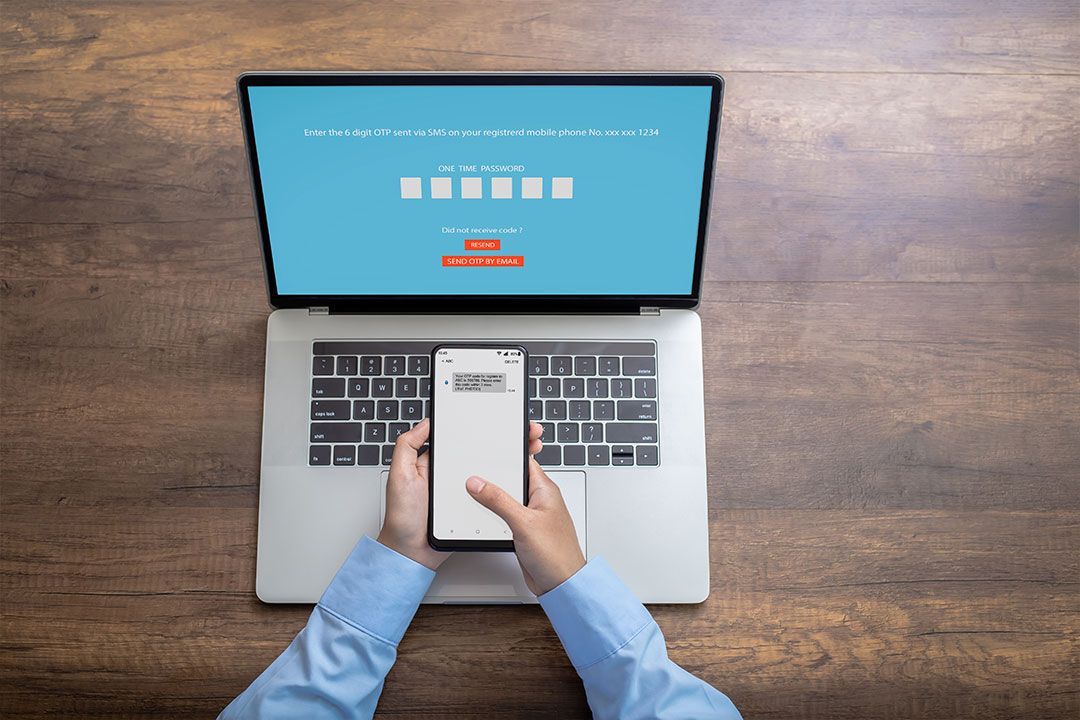


October is Cybersecurity Awareness Month—the perfect time for a refresher on a simple but powerful security method that can help keep your business protected.
Multi-factor authentication (MFA) has proven to be one of the strongest cybersecurity defenses that exists. It significantly reduces the risk of identity-based attacks. And the best part? It’s already at your fingertips as most applications or services that require a password have a built-in option to turn on MFA.
The strategy behind multi-factor authentication
MFA introduces a second form of verification beyond just a password. Passwords can be easily compromised and are subject to large data leaks, and thus a second form of authentication is paramount to keeping your accounts secure. Whether a hacker is targeting you specifically or simply exploiting a list of leaked passwords, MFA can protect you.
Common multi-factor authentication methods
MFA methods fall into three categories: something you know (i.e. a password or PIN), something you have (i.e. an authentication device), and something unique to you (i.e. your fingerprint or face ID).
Simply put, the best factors to use are those that can’t be stolen from under your nose. Virtual methods are convenient, but they aren’t as strong as tangible options. Security levels vary across MFA methods, and best practices have changed in recent years. They can be divided into two categories, phishing-resistant or best practices, and interception-vulnerable or less secure methods — here’s a rundown of your options.
Phishing-Resistant Methods
- Hardware security tokens: Hardware security tokens are the top choice because they’re like fingerprints that don’t expose what the secret pattern is — all the key information is safely locked inside. So, even if someone observes you using the token, they can’t steal the information to use it later in a replay attack.
- Passkeys: Passkeys are another strong option for securing your accounts. Instead of having to create and memorize long, complex passwords, a passkey verifies your identity by using your face ID, your fingerprint, or a specific device pin that you set up beforehand. They are phishing-resistant, making them one of the most secure MFA methods.
- Biometrics paired with device-bound cryptographic keys: Fingerprints and iris recognition are effective MFA methods because they’re tangible — and literally attached to their owner. They also are difficult to duplicate reliably, which makes them a strong MFA option. Pairing face ID or your fingerprint with a FIDO2 or web authentication key levels up your security even more by forcing the device to verify that the website you’re logging into is legitimate. The second layer of security makes this method phishing-resistant.
Interception-Vulnerable Methods
- Text messaging (SMS) and email codes: One-time numeric codes sent via SMS or email are widely used MFA factors. They work by sending a code to your phone or email after you try to sign into a device or account with your password. They’re relatively safe but vulnerable to SIM-swapping and social engineering.
- Authenticator applications: Authenticator apps are another common form of MFA. They work by generating a time-based one-time password or code to use to prove your identity. However, they are vulnerable to phishing and real-time relay attacks.
- One-time pad (OTP): OTP uses a single sequence of numbers tracked in two separate places (your device and the OTP tool), and each number in the sequence is only used once. The key element is that the devices are totally separate — they simply run the same mathematical formula to reference at the same time. While OTPs are relatively safe, they are similar to authenticator apps in that they can be susceptible to phishing and real-time relay attacks.
The evolving threat landscape
Today’s threat actors are taking more sophisticated approaches to bypass MFA. They’re using tactics that target post-login session states, such as Adversary-in-the-Middle (AiTM) phishing kits, infostealer malware that captures session cookies, and MFA push fatigue to manipulate push authentication prompts. Threat actors have zeroed in their strategies to focus on browser sessions because everything now lives on a web browser–Google Workspace, Microsoft 365, cloud-based applications, the list goes on. So, while basic MFA stops credential stuffing and weak passwords, it is not enough to prevent sophisticated phishing campaigns designed to steal active session tokens.
One small step brings plenty of benefits
The threat landscape is evolving, and MFA is not a silver bullet. Continuous monitoring and device hygiene are just as critical. It’s still worth noting that MFA can dramatically improve your security by adding another barrier to account compromise, and there are methods that are far more secure than others.
Passwords alone are no longer secure enough for today’s environment. After all, once passwords are breached, a threat actor can do a lot of damage by accessing all the services you’re signed up for (and that list can be quite long for a small or midsize business).
Ultimately, this one simple tactic will prevent weak passwords from becoming points of vulnerability, protect against attacks on your system without you realizing it, and reduce the scope and expenses of a cyber incident.
